
|
|
In this section we will show you how to collect data for the Average Log from one of the following controllers: MODBUS Controller, OPC Controller, ADS Controller, M1 Controller. For more detail information about the Average Log, refer to Average Log.
To accomplish the task described above, we have to take some basic steps, including
Generally speaking, a data set is a simple way of grouping data for some specific purposes. In our case, this purpose is collecting data for the Average Log, as this log type contains aggregated data for certain aggregation period.
The Data Set Manager plug-in is required to be able to collect Average Log from the controller. For more detail information, refer to Configuring Plug-ins.
For creating a data set, take the following steps:
 ;
; ;
;
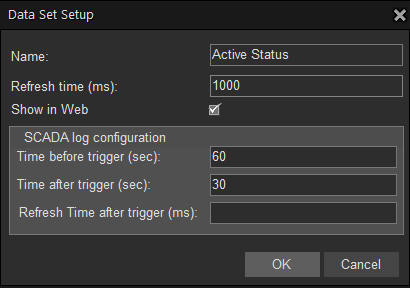
Now we need to assign a recently created Average Log data set to the controller named Unit 01. To do this, follow the steps below:
 in the upper left corner so they will be saved on the server.
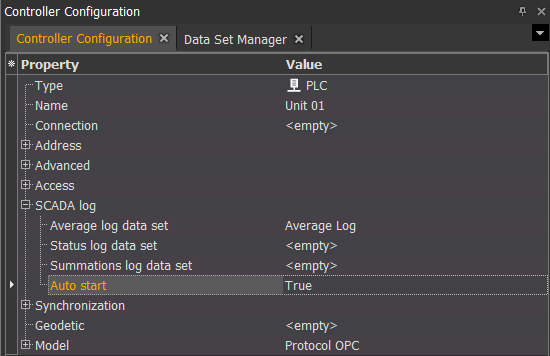
After Average Log data set is created and assigned to the controller called Unit 01, the next step to take, is to add the data which will be constantly requested to the Average Log data set. In our case, we will add Generator Speed and Wind Speed items. To do this, follow the steps below:
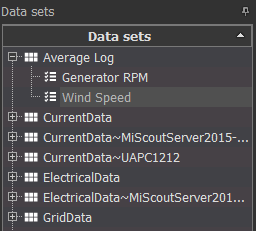
Note. You can use  filter to simplify the way of searching the required items by simply typing the required word in an appropriate field.

in the upper left corner so they will be saved on the server.To view data gathered by MiScout, we need to add the SCADA Log Monitor plug-in. For more detail information, refer to Configuring plug-ins.
The next manual section Configure Summations will provide you with the instructions on how to configure calculation of Summations data based on the online data received from the controller.